
Adding session providers
Session bookings are made against a session provider - the person or organisation actually delivering the session. An instructor, a coach, a practitioner, a consultant.
This article applies if you enabled Session Booking during setup.
Providers are clients with a flag
Section titled “Providers are clients with a flag”There’s no separate “providers” screen. A session provider is a client record with Is Session Provider ticked.
That catches people out at first, but it’s deliberate: the same organisation is often both. A physiotherapy practice that rents your treatment room and runs classes in it is one record, not two - one set of contact details, one history, one invoice trail.
Adding one
Section titled “Adding one”Go to Clients & Services → Client and create a new client.
Fill in their details as you would for any client, then tick Is Session Provider.
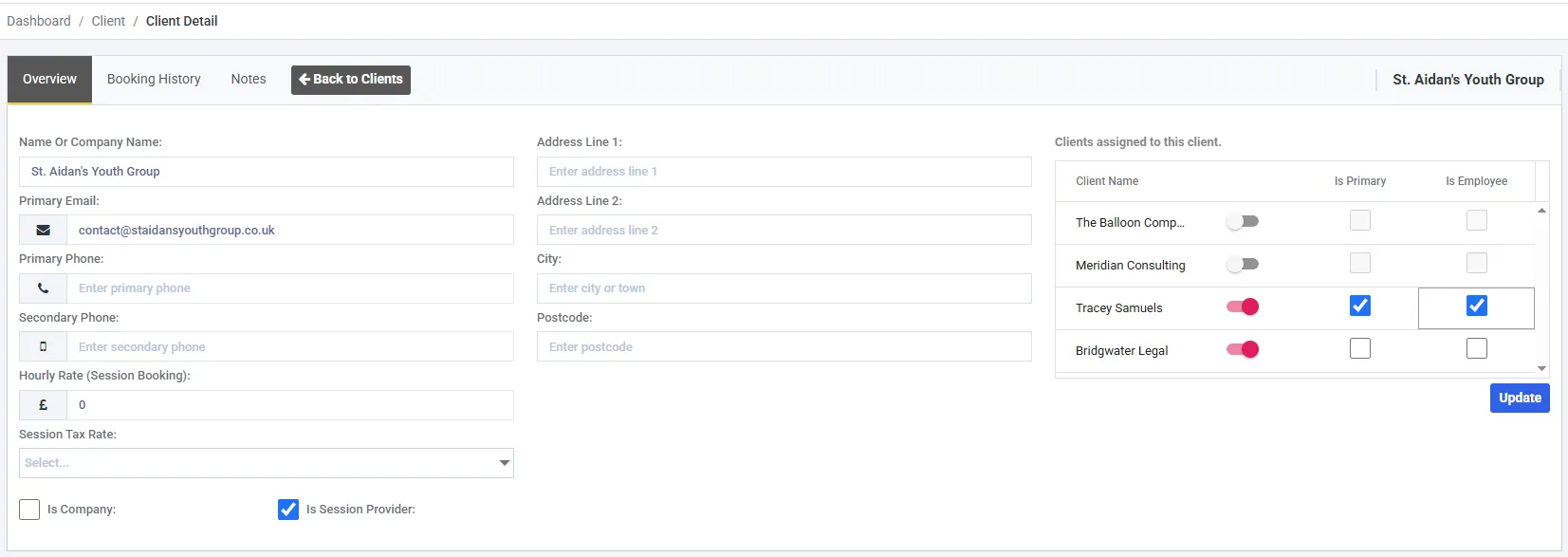
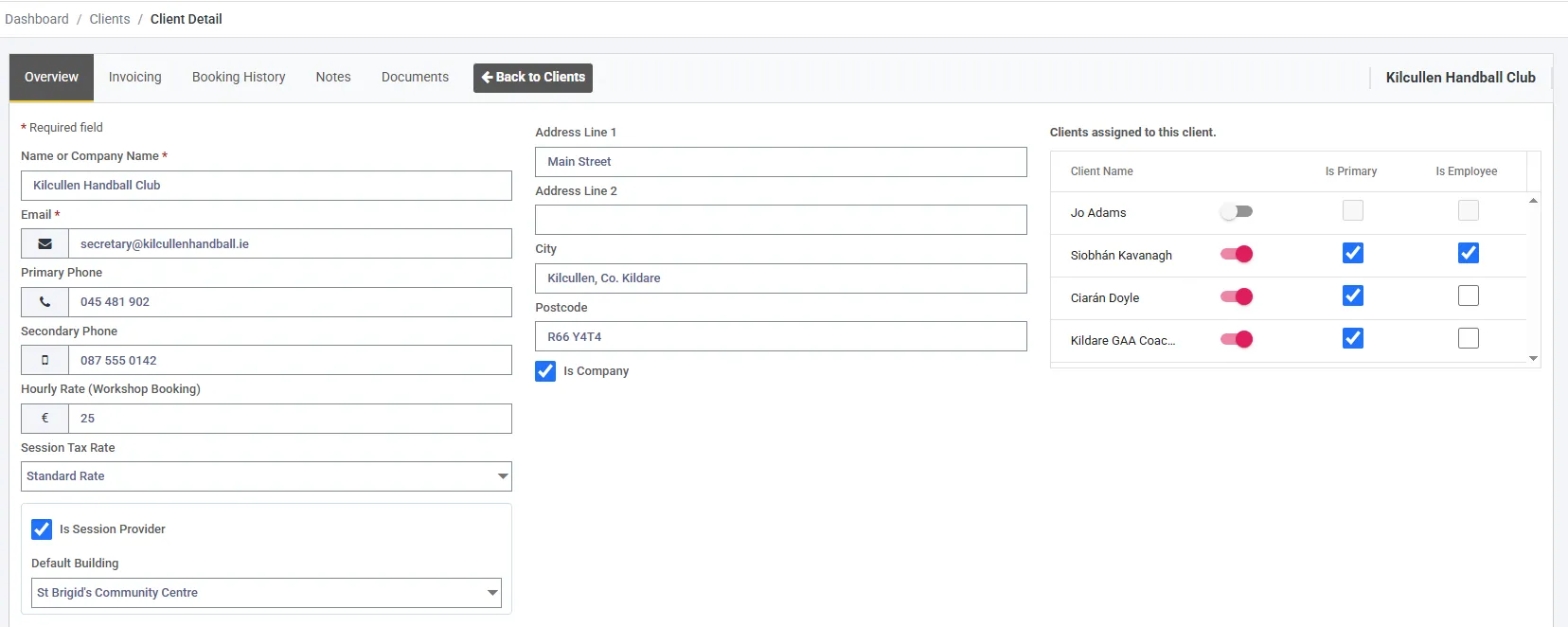
A client with Is Session Provider ticked, which is what makes them bookable.
Three fields on this screen belong to the provider rather than the client. Hourly Rate (Session Booking) and Session Tax Rate set what this provider’s sessions cost by default, in the same way a space carries its own hourly rate. Default Building appears once Is Session Provider is ticked, and is the building their sessions take place in - see Default Building.
That’s what makes them selectable when you create a session booking. A client without it can still book and be invoiced - they simply can’t have sessions scheduled against them.
Providers are what you’re billed for
Section titled “Providers are what you’re billed for”Each active session provider is one bookable item, at £2€2.40 per month - the same rate as an active space.
The important part is what isn’t counted: not sessions, not session types, not attendees, not slots. Ten instructors running two hundred classes a month between them is ten bookable items. The class count makes no difference at all.
Deactivate a provider who’s no longer working with you and they stop counting.
Adding the rest
Section titled “Adding the rest”Add every provider you schedule against. You can’t create a session booking without one, so this is the step that unblocks the calendar.
Set up your booking types - including how long a session runs by default.